One of our UMPI Academic Commitments is “A clear and fair grading system”. Do your students know how their final grade is determined and can they keep track of their own progress? If you have set up your gradebook in Brightspace, there are some important settings to make your grading process transparent for your learners.
To access these, follow these steps:
- Go to your grade center in Brightspace
- Click the Settings wheel on the top right side of the screen.
- Click the Calculation Options tab at the top of the page.
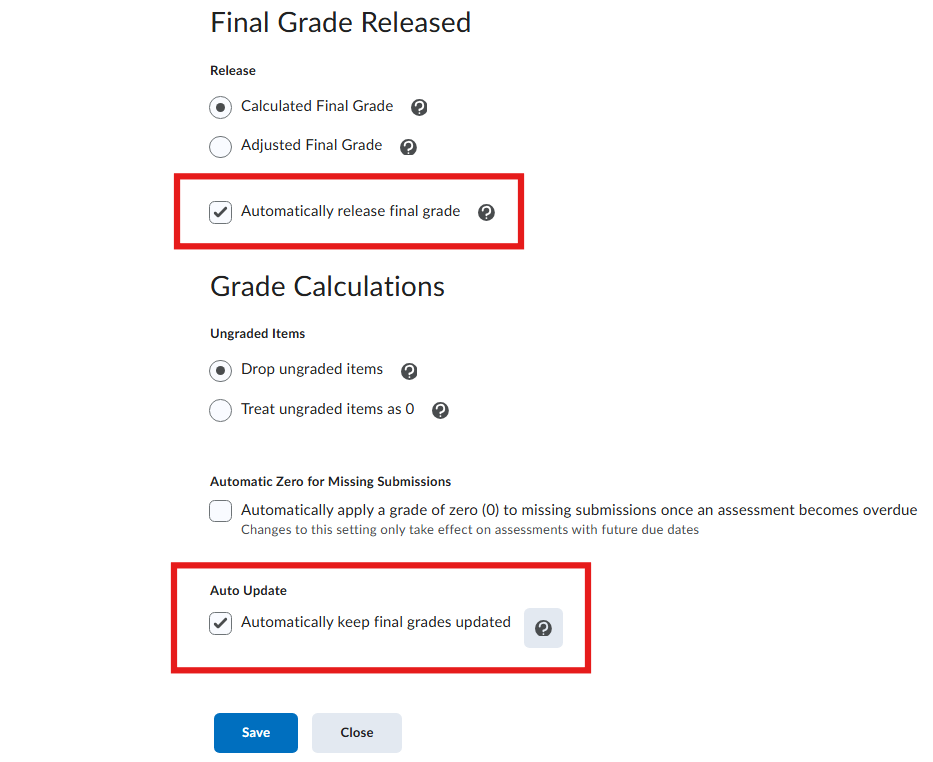
- Scroll down past the Grading System section to the Final Grade Released section.
- Choose whether you would like the Final Grade to be automatically calculated or whether you would like to manually adjust the Final Grade.
- If you would like students to be able to see their Final Grade throughout the semester, be sure to check Automatically release final grade as shown in the image below. We also recommend checking Automatically keep final grades updated.
These steps will allow your learners to keep track of their final grade throughout the semester so they can see how their assignments and efforts affect their grade. If you would like help with your grade settings, please reach out to CTL at umpi-ctl@maine.edu.